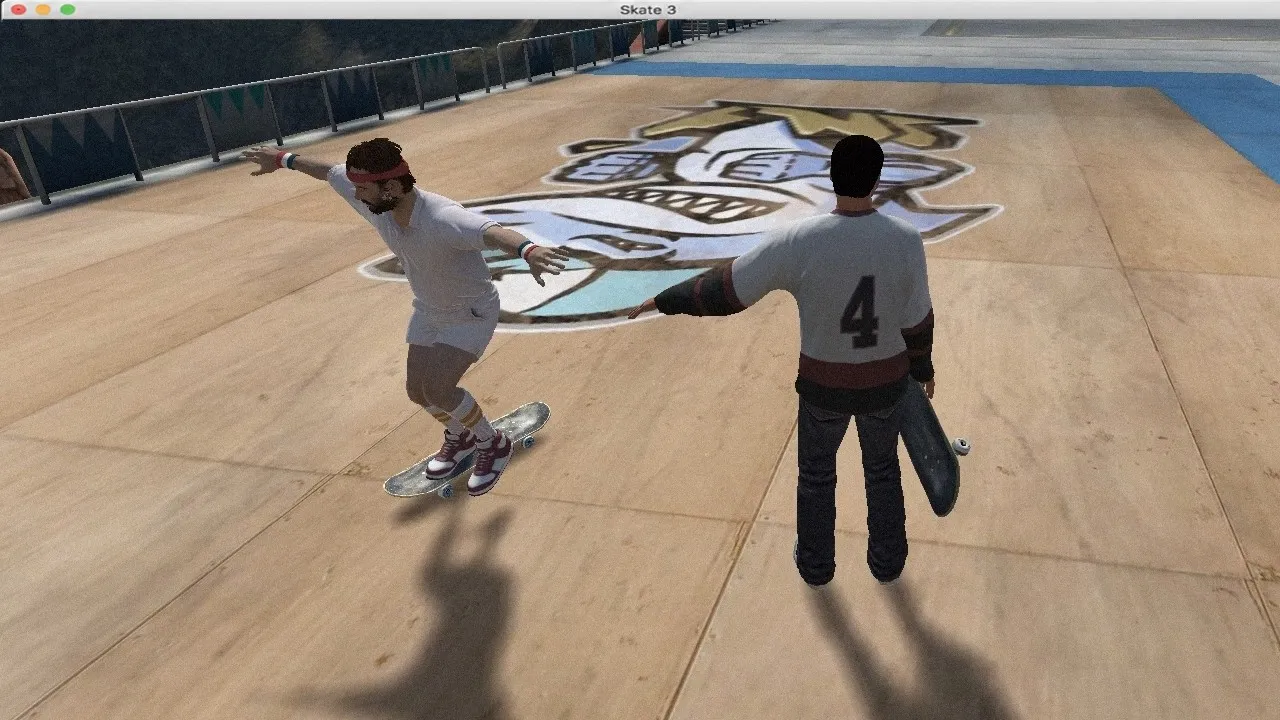
Skate 3 Browser Game
Fan-Made WikiYes, you really can play Skate 3 in a web browser. In October 2026 an 18-year-old student made it work: a browser-hosted port built on a Chrome-compatible RPCS3 (PS3 emulator) core that runs the full Skate 3 game engine — no download, no console, no streaming, on almost any device. Alongside it there's the official route: Xbox Cloud Gaming streams Skate 3 through your browser with a Game Pass subscription. This wiki covers both roads to the skatepark: step-by-step play guides, controls, system requirements, the technology behind the port, and how the browser version compares to running RPCS3 yourself.
Fresh From the Skatepark
How to Play Skate 3 in Your Browser
Skate 3 Browser Controls and First Tricks
Skate 3 Browser Game: The Complete Guide
Skate 3 on Xbox Cloud Gaming: The Official Browser Route
How the Skate 3 Browser Port Works: The RPCS3 Technology
Skate 3 Browser Requirements and Performance
Skate 3 Browser Port vs RPCS3 vs Xbox Cloud
Skate 3 Browser Game FAQ
Skating In Four Steps
From Browser Tab to First Ollie
Know the Game
The Skate 3 Browser Game is a community port, not an official EA release — the complete guide explains what it is, who made it and what's real.
Play the Web Port
The unofficial route: open the right site in a Chrome-compatible browser and the full game engine runs — the how-to guide walks every step and fix.
Or Use Xbox Cloud
The official route: Game Pass streams Skate 3 through your browser — the Xbox Cloud guide covers setup, subscriptions and what it costs.
Learn the Controls
Flick-stick trick controls translated to keyboard and controller — the controls guide gets you from first push to first tre flip.
Most-Read This Week
Trending Now
How to Play Skate 3 in Your Browser
The step-by-step walkthrough for the Skate 3 Browser Game — browser and site requirements, loading, booting and skating, plus the fixes for the usual hiccups.
Skate 3 Browser Controls and First Tricks
Skate 3's flick-it controls in the browser — keyboard and controller layouts, the flick-stick learning curve, and the first tricks to learn in Port Carverton.
Skate 3 Browser Game: The Complete Guide
The complete guide to the Skate 3 Browser Game — what the community web port is, who built it, how the October 2026 breakout happened and what's official.
Skate 3 on Xbox Cloud Gaming: The Official Browser Route
The official way to play Skate 3 in a browser — Xbox Cloud Gaming setup step by step, the Game Pass tier you need, internet requirements and honest costs.
How the Skate 3 Browser Port Works: The RPCS3 Technology
The technology behind the Skate 3 Browser Game — how RPCS3, the open-source PS3 emulator, ends up running the full Skate 3 engine inside a browser tab.
Skate 3 Browser Requirements and Performance
What your machine needs for the Skate 3 Browser Game — the browser requirements that matter, device tiers from Chromebook to gaming PC, controller support and expected hiccups.
Skate 3 Browser Port vs RPCS3 vs Xbox Cloud
Three roads to Skate 3 compared — the browser web port, running RPCS3 locally, and Xbox Cloud streaming — price, performance, legality and friction, honestly weighed.
Skate 3 Browser Game FAQ
Straight answers about the Skate 3 Browser Game — is it official, is it free, is it safe, what devices work, controller support and where to start.
How to Play Skate 3 in Your Browser
The step-by-step walkthrough for the Skate 3 Browser Game — browser and site requirements, loading, booting and skating, plus the fixes for the usual hiccups.
Skate 3 Browser Controls and First Tricks
Skate 3's flick-it controls in the browser — keyboard and controller layouts, the flick-stick learning curve, and the first tricks to learn in Port Carverton.
Skate 3 Browser Game: The Complete Guide
The complete guide to the Skate 3 Browser Game — what the community web port is, who built it, how the October 2026 breakout happened and what's official.
Skate 3 on Xbox Cloud Gaming: The Official Browser Route
The official way to play Skate 3 in a browser — Xbox Cloud Gaming setup step by step, the Game Pass tier you need, internet requirements and honest costs.
How the Skate 3 Browser Port Works: The RPCS3 Technology
The technology behind the Skate 3 Browser Game — how RPCS3, the open-source PS3 emulator, ends up running the full Skate 3 engine inside a browser tab.
Skate 3 Browser Requirements and Performance
What your machine needs for the Skate 3 Browser Game — the browser requirements that matter, device tiers from Chromebook to gaming PC, controller support and expected hiccups.
Skate 3 Browser Port vs RPCS3 vs Xbox Cloud
Three roads to Skate 3 compared — the browser web port, running RPCS3 locally, and Xbox Cloud streaming — price, performance, legality and friction, honestly weighed.
Skate 3 Browser Game FAQ
Straight answers about the Skate 3 Browser Game — is it official, is it free, is it safe, what devices work, controller support and where to start.
What Is the Skate 3 Browser Game?
The Skate 3 Browser Game is 2026's most delightful gaming plot twist: an 18-year-old student figured out how to host EA's 2010 skateboarding classic through a web browser, using a Chrome-compatible build of RPCS3 — the open-source PlayStation 3 emulator — to run the actual game engine client-side rather than streaming video. The result works on almost any device with a browser: laptops, Chromebooks, phones, the lot. No download, no install, no console. Press coverage in October 2026 introduced it to the world, and the search for a way to play Skate 3 in a browser has been climbing steadily since.
There are two honest ways into this skatepark, and this wiki documents both. The unofficial web port: free, instant, community-built — a marvel of emulation engineering with the quirks that implies. The official route: Xbox Cloud Gaming streams Skate 3 through your browser as part of a Game Pass subscription — polished, legal, paid. Both get you to Port Carverton; the comparison page helps you choose, and the guides get you rolling either way.
Explore All GuidesOriginal Game
Skate 3 (2010)
Port Tech
RPCS3 in Browser
Made By
18-Year-Old Dev
Broke Out
October 2026
Devices
Almost Any
Price
Free / Game Pass
Everything About Browser Skate 3, Mapped
Guides, tech explainers, comparisons and answers — the complete toolkit.
Skate 3 Browser Game Guide
The complete orientation.
How to Play in Browser
The web port, step by step.
The Xbox Cloud Route
The official way in.
Game Pass — what tier you actually need
Browser streaming setup in ten minutes
Internet requirements for smooth streaming
The honest costs versus the free port
Controls & First Tricks
From push to tre flip.
Flick ItSkate's flick-stick controls translated to keyboard and controller — the learning curve, mappedHow the Port Works
The technology explained.
Requirements & Performance
What your machine needs.
The browser requirements that actually matter
Device tiers — Chromebook to gaming PC
Controller support and pairing
The performance hiccups to expect
Browser vs RPCS3 vs Cloud
Three roads compared.
FAQ
The straight answers.
Frequently Asked Questions
Quick answers to the most common questions about playing Skate 3 in a browser.
The park is one tab away.
The play guides, the controls, the tech and the comparisons — everything to go from browser tab to first line in Port Carverton.